Printers and Photo Printing
Top Photo Printers for Photographers
7 picks compared
6 min read
ProductPickly is reader-supported. When you buy through links on our site, we may earn an affiliate commission at no extra cost to you. It never changes our picks.
The short answerFor serious photographers, the Canon imagePROGRAF PRO-300 leads for color accuracy, while the Epson SureColor P700 excels in black-and-white. The Canon PIXMA TR8620 is a solid all-rounder for mixed use.
?How we pickedWe compare published specifications, safety certifications and thousands of verified owner reviews, and we do not physically test every unit. Read the full process in our review methodology.
Canon imagePROGRAF PRO-300
★★★★★ 4.8 / 5 best overall for color accuracy
The PRO-300 is a 13-inch professional inkjet with a 10-color LUCIA PRO pigment ink system. It delivers wide color gamut and exceptional shadow detail. Owners report prints that rival commercial labs.
Print Technology Inkjet (pigment)Max Print Size 13 x 19 inchesResolution 4800 x 2400 dpiInk Colors 10 (with Chroma Optimizer)
- Outstanding color accuracy
- Excellent black-and-white output
- Built-in Wi-Fi and Ethernet
- Large footprint
- High ink replacement cost
Best for: best overall for color accuracy
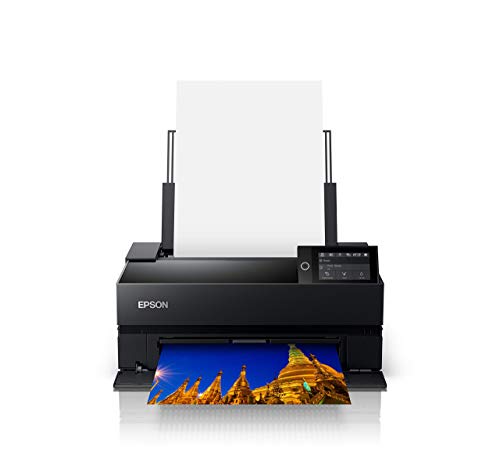
Epson SureColor P700
★★★★★ 4.7 / 5 best for black-and-white prints
The P700 uses a 10-channel UltraChrome PRO pigment ink set with advanced black-and-white mode. It produces neutral and toned monochrome prints with smooth gradations. Printers support roll paper and borderless up to 13 inches.
Print Technology Inkjet (pigment)Max Print Size 13 x 19 inchesResolution 5760 x 1440 dpiInk Colors 10 (with violet)
- Superb monochrome prints
- Vivid color gamut
- Compact design
- No built-in display
- Ink cartridges are pricey
Best for: best for black-and-white prints
Canon PIXMA TR8620
★★★★★ 4.5 / 5 best value for mixed use
This all-in-one printer handles documents and photos up to 8.5 x 11 inches. It features a 5-color hybrid ink system for vibrant snapshots. The 35-page auto document feeder and duplex printing add convenience.
Print Technology Inkjet (dye + pigment)Max Print Size 8.5 x 11 inches (borderless)Resolution 4800 x 1200 dpiFunctions Print, scan, copy, fax
- Affordable price
- Versatile for home office
- Wireless and mobile printing
- Smaller print size
- Dye inks fade faster than pigment
Best for: best value for mixed use
Epson Expression Photo HD XP-15000
★★★★★ 4.4 / 5 best budget wide-format
The XP-15000 prints up to 13 x 19 inches with a 6-color Claria Photo HD ink set. It offers superb color for the price, and owners appreciate the borderless printing. It lacks a display, but setup is straightforward.
Print Technology Inkjet (dye)Max Print Size 13 x 19 inchesResolution 5760 x 1440 dpiInk Colors 6 (with red and gray)
- Low initial cost
- Large-format capability
- Good color vibrancy
- Dye inks less archival
- No automatic duplexer
Best for: best budget wide-format
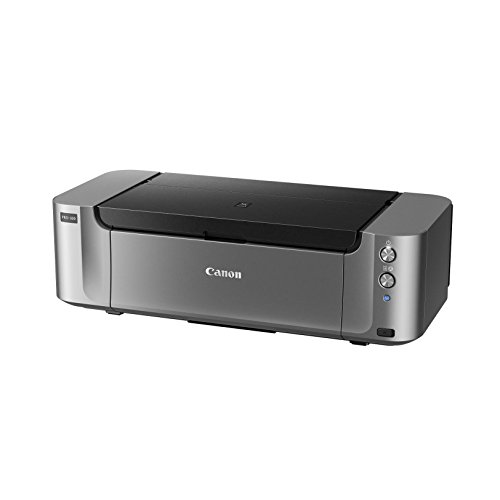
Canon PIXMA Pro-100
★★★★★ 4.6 / 5 best for dye-sub quality on a budget
The Pro-100 is an 8-color dye-based inkjet that produces glossy, vibrant prints. It is a favorite among enthusiasts for its rich color and smooth gradations. The printer is large but reliable, and it supports borderless up to 13 x 19 inches.
Print Technology Inkjet (dye)Max Print Size 13 x 19 inchesResolution 4800 x 2400 dpiInk Colors 8 (with gray)
- Rich, glossy output
- Excellent color transitions
- Often comes with rebates
- Dye inks less fade-resistant
- Bulky and heavy
Best for: best for dye-sub quality on a budget
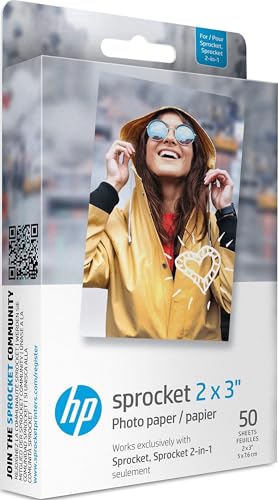
HP Sprocket 2-in-1
★★★★★ 4.3 / 5 best for instant social media prints
This portable printer creates 2.3 x 2.3 inch sticky-backed photos from your phone. It uses ZINK zero-ink technology, so no cartridges are needed. The companion app offers filters and frames for creative edits.
Print Technology ZINK (zero-ink)Max Print Size 2.3 x 2.3 inchesConnectivity Bluetooth 5.0Battery Rechargeable, up to 35 prints per charge
- Ultra-portable
- No ink cartridges
- Fun for scrapbooking
- Small print size
- Limited to ZINK paper
Best for: best for instant social media prints
Epson EcoTank ET-8550
★★★★★ 4.6 / 5 best for high-volume photo printing
The ET-8550 uses refillable ink tanks that print thousands of pages before needing a refill. It prints up to 13 x 19 inches with a 6-color Claria ET pigment ink set. Owners love the low cost per print and built-in scanner.
Print Technology Inkjet (pigment)Max Print Size 13 x 19 inchesResolution 4800 x 2400 dpiInk System Refillable tanks, 6 colors
- Very low running costs
- High print volume
- Includes scanner and copier
- Higher upfront price
- Large footprint
Best for: best for high-volume photo printing
Printers vary widely in ink technology, color gamut, and media support. We focused on models that deliver gallery-grade prints without breaking the bank.
What to look for in a photo printer
Print technology matters most. Pigment inks resist fading and produce wider color gamuts, while dye inks offer glossier output but shorter longevity. Check the maximum print size, as some photographers need 13x19 inch prints. Resolution is less critical than color accuracy and ink layering. Look for printers with multiple gray inks for better black-and-white prints. Connectivity like Wi-Fi and mobile printing is essential for modern workflows.
Ink systems and cost per print
Cartridge-based printers have lower upfront costs but higher per-print expenses. Supertank models like the EcoTank use refillable bottles that cut costs dramatically. Dye-sublimation printers are efficient but limited to small formats. Consider how many prints you make monthly. For occasional prints, a cartridge model is fine; for volume, a tank system saves money. Always check the price of replacement ink before buying.
Paper handling and media compatibility
Photo printers should handle various paper types, from glossy to fine art. Look for a rear paper feed that supports thick media up to 300 gsm. Borderless printing is a must for full-bleed photos. Some printers offer roll paper support for panoramas. Check the input tray capacity if you print in batches. A straight paper path reduces curling and jams.
Color accuracy and profiling
For professional work, color accuracy is non-negotiable. Printers with wider color gamuts and more ink channels produce better matches to your monitor. Consider models that support ICC profiles and have advanced driver settings. Some printers include a spectrophotometer for automatic calibration. Owners of the PRO-300 and P700 report excellent out-of-box color. For critical work, you may need to profile your monitor and printer.
Connectivity and workflow
Modern printers offer Wi-Fi, Ethernet, and USB ports. Wi-Fi Direct and AirPrint simplify mobile printing. Look for cloud printing support if you use services like Google Drive. A touchscreen display can make menu navigation easier. For tethered shooting, ensure the printer has a USB port and compatible software. Some printers work with Adobe Lightroom plugins for direct printing.
Size, noise, and maintenance
Photo printers can be bulky and heavy. Measure your workspace before buying. Noise levels vary; pigment printers often sound like small jets. Regular use prevents ink clogs, so print at least once a week. Some models have automatic head cleaning. Consider the cost of maintenance and the availability of replacement parts. A printer with a self-cleaning cycle saves hassle.
Questions people ask
What is the best printer for professional photography?
The Canon imagePROGRAF PRO-300 and Epson SureColor P700 are top choices for professionals. They offer wide color gamut, pigment inks, and excellent black-and-white output.
Is a dye or pigment ink printer better for photos?
Pigment inks are more fade-resistant and produce a wider color gamut, making them ideal for archival prints. Dye inks give glossier results but fade faster.
How much does it cost to print a 4x6 photo?
Costs vary widely. With a cartridge printer, a 4x6 print may cost around 50 cents. Supertank models like the EcoTank ET-8550 can drop that to under 10 cents per print.
Can I print borderless photos on any printer?
No, not all printers support borderless printing. Check the specifications for borderless capability, especially for larger sizes like 8.5x11 or 13x19 inches.
What size printer do I need for fine art prints?
For fine art up to 13x19 inches, consider the Canon PRO-300 or Epson P700. For larger formats, you may need a 17-inch or wider printer, which is more expensive.
Which printer is best for black-and-white photography?
The Epson SureColor P700 excels in monochrome due to its advanced black-and-white mode and multiple gray inks. The Canon PRO-300 also performs well.
Are printer inks expensive?
Yes, especially pigment inks. A full set of cartridges for a pro printer can cost over Supertank printers reduce this cost significantly per print.
Can I print photos directly from my phone?
Many modern printers support AirPrint, Wi-Fi Direct, or dedicated apps. The HP Sprocket is designed specifically for phone printing via Bluetooth.
How long do photo prints last?
With pigment inks on archival paper, prints can last 100+ years under glass. Dye inks may fade in 20-30 years. Storage conditions affect longevity.
What is the difference between a photo printer and a regular printer?
Photo printers use more ink colors, often 6 to 10, for smoother gradients. They also support higher resolutions and a wider range of paper types.
The bottom lineSo which one?
For the best combination of quality and value, the Canon PIXMA TR8620 covers most needs, but serious photographers should invest in the Canon PRO-300 or Epson P700. Consider your budget and print volume to make the final choice.