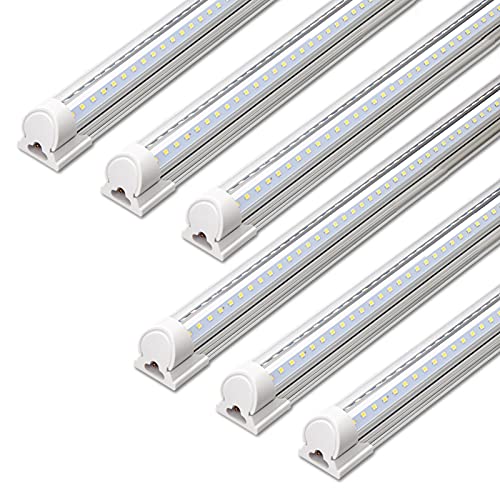
Check the power source first: test the outlet, reset the breaker, and inspect the switch. If power is fine, the issue is likely the bulb, ballast, or internal wiring.
Why Your Shop Light Won't Turn On
A shop light that refuses to turn on can stop your work in its tracks. Before you call an electrician or buy a new fixture, understand the common culprits. Most issues fall into three categories: power supply problems, failed bulbs or tubes, and internal component failures. Our editorial team compared specifications, buyer feedback, and key decision factors to bring you a practical troubleshooting guide.
Shop lights come in two main types: fluorescent and LED. Each has its own failure points. Fluorescent fixtures rely on a ballast to regulate current, while LED fixtures have a driver. Both can wear out over time. But before you suspect the fixture itself, always start with the simplest explanation: the power.
Another factor to consider is the age of your fixture. Older shop lights, especially those using T12 tubes, are less efficient and more prone to component failure. If your fixture is more than 15 years old, it might be worth upgrading to a modern LED unit that uses less energy and lasts longer. However, even new fixtures can have issues due to manufacturing defects or improper installation.
Step-by-Step Troubleshooting
1. Check the Power Source
Start at the outlet or junction box. Plug a lamp or phone charger into the same outlet to see if it works. If not, reset the circuit breaker or replace a blown fuse. Check for a wall switch that might be off, and make sure the switch is functioning. For hardwired fixtures, use a voltage tester to confirm power is reaching the fixture. Always turn off the power at the breaker before opening the fixture.
Sometimes the issue is a tripped GFCI outlet. If your shop light is plugged into a GFCI, press the reset button. Also, check if the outlet is controlled by a switch that someone may have turned off. In a workshop, it is easy for a switch to be accidentally flipped. If you have a multimeter, you can also test the outlet for proper voltage (120V in North America). If the outlet is dead, trace the circuit back to the panel.
2. Inspect the Bulbs or Tubes
If power is present, the next suspect is the bulb. For fluorescent tubes, look for dark rings near the ends, which indicate a burned-out tube. Replace the tube with a new one of the same wattage and length. For LED bulbs, try swapping in a known working bulb. If the light turns on, the old bulb was defective. Remember to let the fixture cool down before handling bulbs.
When handling fluorescent tubes, be careful not to break them. They contain a small amount of mercury. If a tube breaks, clean up the debris carefully and dispose of it properly. For LED bulbs, check the base for any signs of melting or discoloration. Also, ensure the bulb is seated correctly in the socket. Sometimes a loose bulb can cause an intermittent connection.
3. Examine the Ballast or Driver
Fluorescent fixtures have a ballast that can fail. Symptoms include buzzing, flickering, or a slow start. If you have replaced the tubes and still have no light, the ballast is likely bad. LED fixtures have a driver that can also fail. These components are not user-serviceable in many cases, but you can test them with a multimeter if you have experience. Otherwise, consider replacing the fixture.
To test a ballast, you can use a multimeter to check for continuity across the input and output terminals. However, this is not always conclusive. A more practical test is to use a known good ballast from a similar fixture. If you are not comfortable with this, a licensed electrician can do it for you. For LED drivers, they are often potted in epoxy and cannot be repaired. If the driver fails, the entire fixture may need replacement.
4. Look at the Wiring and Connections
Loose or corroded wires can interrupt power. Turn off the breaker, then open the fixture and inspect all wire connections. Look for frayed wires, loose nuts, or signs of burning. Tighten any loose connections. If you see damaged wiring, call an electrician. Never attempt to repair live wires.
Pay special attention to the wire nuts. Over time, they can loosen due to vibration or thermal cycling. If a wire nut is loose, remove it, strip the wires if necessary, and reattach with a new wire nut. Also, check for any signs of moisture or corrosion, especially in a garage or basement. Corroded connections can be cleaned with a wire brush, but if the wire is badly corroded, replace it.
5. Test the Switch and Sensors
Some shop lights have pull chains, motion sensors, or photocells. If the light has a pull chain, give it a few pulls; sometimes the switch sticks. For motion sensors, make sure they are set to manual or auto mode and that the sensor is clean. Photocells may be set to dusk-to-dawn and might not turn on during the day. Adjust the settings and test again.
If your shop light uses a pull chain, the switch can wear out after many pulls. You can replace the switch if you are handy. For motion sensors, check the sensitivity and time delay settings. Sometimes the sensor is not detecting movement because it is aimed incorrectly or the lens is dirty. Clean the lens with a soft cloth. For photocells, cover the sensor with your hand to simulate darkness and see if the light turns on.
When to Replace the Fixture
If you have gone through all the steps and the light still does not work, it may be time for a new fixture. Here are signs that replacement is the better option:
- The fixture is old and uses outdated technology, such as T12 tubes.
- Repair costs are more than half the price of a new unit.
- You see visible damage like cracks, rust, or burnt components.
- You are uncomfortable working with electrical components.
Modern LED shop lights are affordable and energy-efficient. They last longer and require less maintenance. Check the current price on Amazon for a replacement that fits your space. When choosing a new fixture, consider the color temperature (cool white vs. warm white), the lumen output, and the length. Also, decide whether you want a plug-in or hardwired model. Many LED shop lights are linkable, allowing you to connect multiple fixtures together.
Safety Warnings
Always prioritize safety when troubleshooting. Turn off the power at the circuit breaker before inspecting any fixture. Use insulated tools and a voltage tester to confirm power is off. Do not touch bare wires with your hands. If you are unsure about any step, hire a licensed electrician. Never operate a fixture with a missing cover or damaged wiring.
Also, be aware of the risk of electric shock. Even with the power off, capacitors in the fixture can store a charge. Discharge capacitors before touching them. Wear safety glasses to protect your eyes from debris. If you are working on a ladder, make sure it is stable. Keep the area dry to avoid slipping.
Preventive Maintenance Tips
To avoid future issues, keep your shop light clean and dust-free. Dust can cause overheating and reduce efficiency. Check connections periodically. For fluorescent fixtures, replace tubes in pairs to maintain even light output. For LED fixtures, ensure proper ventilation. These simple steps can extend the life of your shop light.
Additionally, consider installing surge protectors to protect your lights from power surges. In a workshop, power tools can cause voltage spikes. Use a surge protector for plug-in fixtures. For hardwired fixtures, you can install a whole-house surge protector. Also, avoid overloading circuits. If you have many lights and tools on the same circuit, consider adding a dedicated circuit for your shop lights.
Common Issues with Fluorescent vs. LED Shop Lights
Fluorescent shop lights have been around for decades, but they have specific quirks. The most common issue is a failing ballast, which can cause flickering or a complete failure to start. Another issue is the starter, which is a small cylindrical component that helps the tube ignite. If the starter is bad, the tube may not light. You can test the starter by swapping it with a known good one.
LED shop lights are more reliable, but they are not immune to problems. The driver is the most likely component to fail. Symptoms include a light that turns on briefly and then shuts off, or a light that does not turn on at all. Sometimes, the LED chips themselves can fail, but this is less common. If you have a dimmable LED light, the dimmer switch may not be compatible, causing the light to not turn on. Check the compatibility of your dimmer.