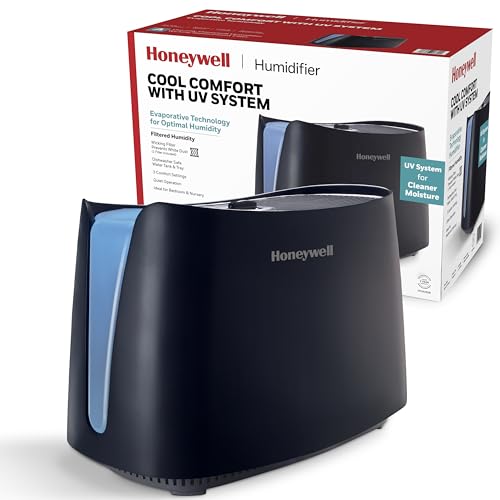
If your humidifier runs but produces little or no mist, the most common fix is cleaning mineral deposits from the transducer or replacing a clogged filter. Try a vinegar soak first, then check for other issues like low water level or a faulty fan.
Why Your Humidifier Stops Producing Mist
Humidifiers rely on a few key components to turn water into a fine mist. When mist output drops or stops entirely, the problem usually lies with one of these parts. The most common culprits are mineral buildup (scale), a clogged or worn-out filter, a malfunctioning transducer (in ultrasonic models), or a broken fan. Less common issues include a faulty power supply or a misaligned water tank.
Hard water contains calcium and magnesium that leave white deposits inside the humidifier. Over time, these deposits can coat the transducer (the disc that vibrates to create mist) or clog the wick filter in evaporative models. If you use tap water, expect to clean your humidifier every week or two. Using distilled water can greatly reduce scaling.
Another reason for low mist is the water level. Many ultrasonic humidifiers require the water to be at a certain depth for the transducer to work properly. If the tank is too full or too empty, mist production may stop. Also check that the water tank is seated correctly and that the float switch (if present) moves freely.
Step-by-Step Troubleshooting Guide
Follow these steps in order to identify and fix the issue. Always unplug the humidifier before cleaning or inspecting.
- Check the power and settings. Make sure the unit is plugged in and the outlet works. Verify the mist control is not set to the lowest setting. Some models have a separate on/off switch for mist.
- Inspect the water level and tank alignment. Ensure the tank is full but not overfilled. Remove the tank and reseat it properly. Listen for a click that indicates the valve has opened.
- Clean the transducer or heating element. For ultrasonic humidifiers, locate the metal disc at the bottom of the water reservoir. If it has a white or brown crust, clean it with a soft brush and a 50/50 vinegar-water solution. Let it soak for 15 minutes, then gently scrub and rinse. For steam humidifiers, descale the heating element following the manufacturer's instructions.
- Replace or clean the filter. If your humidifier has a wick filter, check if it is hard, discolored, or smells musty. Replace it if it is more than 2-3 months old. Some filters can be rinsed, but most need replacement. For evaporative models, a clogged filter is the number one cause of low output.
- Check the fan and air intake. If you hear the fan running but no mist, the fan may still be weak. Clean any dust from the fan blades and air vents. A blocked intake can reduce airflow and mist output.
- Inspect the float switch and water sensor. Some units have a float that rises with water level. If it is stuck, the unit may think there is no water. Gently move the float to ensure it is free.
- Test with distilled water. If you have been using tap water, switch to distilled water for a test run. If mist output improves, mineral buildup was the issue. Continue using distilled water to prevent future problems.
When to Replace Parts or the Entire Humidifier
If cleaning and troubleshooting do not restore mist output, some components may need replacement. The most common replaceable parts are filters, transducer discs, and fans. Check your humidifier's manual for specific part numbers and replacement instructions.
Replace the filter every 2-3 months or sooner if it shows signs of wear. A clogged filter cannot be fully cleaned and will continue to reduce performance. Transducer discs can sometimes be replaced individually, but on many models, the entire transducer assembly must be swapped. If the fan motor has failed, you may need to replace the fan assembly or the whole unit.
Consider replacing the humidifier if it is more than 3-5 years old, replacement parts are expensive or hard to find, or if the unit has developed leaks or other issues. The cost of a new humidifier is often comparable to the cost of major repairs. Also, if you have tried all troubleshooting steps and the unit still does not produce mist, it may be time for a new one.
To prevent future problems, use distilled or demineralized water, clean the humidifier weekly, and replace filters on schedule. Regular maintenance extends the life of your humidifier and ensures consistent mist output.