WiFi Extenders
Best WiFi Extenders: Wall Plug Boosters and Repeaters for More Range
7 picks compared
9 min read
ProductPickly is reader-supported. When you buy through links on our site, we may earn an affiliate commission at no extra cost to you. It never changes our picks.
The short answerA WiFi extender is a plug-in unit that rebroadcasts your existing WiFi into a dead spot, so it is the cheapest way to patch one or two weak rooms rather than replacing your router. Among these picks the TP-Link RE715X is the top choice if your router runs WiFi 6, because its listing pairs WiFi 6 at an AX3000 rated class with an Ethernet port and EasyMesh. The RE550 adds a full Gigabit port for WiFi 5 setups, the RE315 and RE220 are the budget plug-in picks for a single room, and the generic AX3000 and 1200Mbps boosters are simpler value units. Treat every rated speed like AX3000 or AC1200 and every coverage figure as a theoretical marketing claim, because real speed and range always land lower once walls and distance are involved.
?How we pickedWe compare published specifications, safety certifications and thousands of verified owner reviews, and we do not physically test every unit. Read the full process in our review methodology.
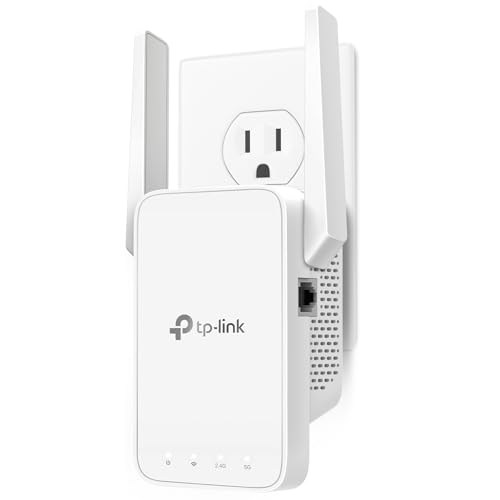
TP-Link AX3000 WiFi 6 Range Extender | PCMag Editor's Choice | Dual-Band Wireless Repeater w/Ethernet Port | Up to 2400 Sq. Ft., 64 Devices | Internet Signal Booster | APP Setup | EasyMesh (RE715X)
★★★★★ 4.7 / 5 Editor's pick
The RE715X is our top overall pick because its listing pairs WiFi 6 at an AX3000 rated class with a dedicated Ethernet port and EasyMesh support, which is the most complete feature set here. Its listing names a PCMag Editor's Choice nod and coverage up to 2400 sq ft for 64 devices, though real speed and range will sit below those marketing figures.
WiFi standard WiFi 6 (listed)Rated class AX3000 (listed)Coverage claim Up to 2400 sq ft (listed)Ethernet One port (listed)
- WiFi 6 at an AX3000 rated class, per the listing
- Dedicated Ethernet port for a wired device, as listed
- EasyMesh and app setup both stated on the listing
- Rated AX3000 speed is a theoretical peak, not a real-world rate
- The 2400 sq ft coverage figure is a marketing claim
Best for: Anyone on a WiFi 6 router who wants the fullest feature set with a wired port.
TP-Link AC1900 WiFi Range Extender RE550 | Dual-Band Wireless Repeater Amplifier w/Gigabit Ethernet Port | Up to 2200 Sq. Ft., 32 Devices | Internet Signal Booster | APP Setup | EasyMesh Compatible
★★★★★ 4.6 / 5 Step up
The RE550 is the step up pick for wired users because its listing names a Gigabit Ethernet port rather than a slower one, alongside a dual band AC1900 rated class. Its listing states coverage up to 2200 sq ft for 32 devices and EasyMesh support, with real throughput landing under the rated number.
WiFi standard WiFi 5 / AC (listed)Rated class AC1900 (listed)Coverage claim Up to 2200 sq ft (listed)Ethernet Gigabit port (listed)
- Gigabit Ethernet port named on the listing
- Dual band AC1900 rated class, as listed
- EasyMesh compatible and app setup, per the listing
- WiFi 5 rather than WiFi 6, per the listing
- The AC1900 rate and 2200 sq ft are peak marketing figures
Best for: A wired device far from the router that needs a full Gigabit port.
TP-Link AC1200 WiFi Extender - 1.2Gbps Home Signal Booster, Dual Band 5GHz/2.4GHz, Up to 1600 Sq.ft and 32 Devices, EasyMesh Compatible, One Ethernet Port (RE315)
★★★★★ 4.5 / 5 Budget pick
The RE315 is the budget value pick, with its listing naming a dual band AC1200 rated class, one Ethernet port and EasyMesh support. Its listing states coverage up to 1600 sq ft for 32 devices, enough for a spare room or a floor above the router, with real speed below the rated figure.
WiFi standard WiFi 5 / AC (listed)Rated class AC1200 (listed)Coverage claim Up to 1600 sq ft (listed)Ethernet One port (listed)
- Dual band AC1200 with an Ethernet port, per the listing
- EasyMesh compatible for a tidier network, as listed
- Covers a listed 1600 sq ft for 32 devices
- WiFi 5 and a lower AC1200 rated class than the top picks
- 1600 sq ft is a marketing coverage figure, not a measured one
Best for: A cost-conscious buyer adding one wired device and a room of coverage.
TP-Link WiFi Extender with Ethernet Port, Dual Band 5GHz/2.4GHz, Up to 44% More Bandwidth Than Single Band, Covers Up to 1200 Sq.ft and 30 Devices, Signal Booster Amplifier Supports OneMesh(RE220)
★★★★★ 4.4 / 5 Compact plug-in
The RE220 is the compact plug-in pick for a single dead spot, with its listing naming dual band operation, an Ethernet port and OneMesh support. Its listing states coverage up to 1200 sq ft for 30 devices, which suits one extra room rather than a whole house.
Bands Dual band 2.4/5GHz (listed)Coverage claim Up to 1200 sq ft (listed)Devices Up to 30 (listed)Mesh OneMesh (listed)
- Dual band with an Ethernet port, per the listing
- Supports OneMesh for one network name, as listed
- Compact single plug footprint for one dead spot
- Listing states no ACxxxx rated class to compare
- 1200 sq ft is a marketing claim and covers less in practice
Best for: Filling one weak room near an existing TP-Link router.
WiFi Extender, 45X WiFi 6 Booster AX3000 (5.8/2.4GHz), Long Range and 155+ Devices, WiFi Extender Signal Booster with Ethernet Port (Matte Black)
★★★★★ 4.3 / 5 WiFi 6 value
This AX3000 unit is a WiFi 6 value pick, with its listing naming WiFi 6, dual band 5.8/2.4GHz operation and an Ethernet port at a lower rated class tier than the RE715X. Its listing quotes a very large coverage figure and 155+ devices, both of which are optimistic marketing numbers rather than real capacity.
WiFi standard WiFi 6 (listed)Rated class AX3000 (listed)Bands Dual band 5.8/2.4GHz (listed)Ethernet Port included (listed)
- WiFi 6 at an AX3000 rated class, per the listing
- Dual band with an Ethernet port, as listed
- Wall-plug booster form factor for an easy install
- The listed coverage and 155+ device claims are heavily inflated
- Generic brand with a sparser listing than the TP-Link models
Best for: A WiFi 6 plug-in booster where the full feature list is not needed.
1200Mbps Dual Band WiFi Extender Signal Booster Covers Up to 3600 Sq.ft
★★★★★ 4.2 / 5 Value pick
This 1200Mbps booster is a plain value pick, with its listing naming a dual band design and a 1200Mbps rated speed. Its listing claims coverage up to 3600 sq ft, a marketing figure that real range will fall short of, and it does not state an Ethernet port.
Rated speed 1200Mbps (listed)Bands Dual band (listed)Coverage claim Up to 3600 sq ft (listed)Form factor Wall-plug booster
- Dual band at a 1200Mbps rated speed, per the listing
- Simple wall-plug booster with a small footprint
- Aimed at stretching WiFi to a far room, as listed
- Listing does not state an Ethernet port
- The 3600 sq ft figure is a marketing claim, not a real range
Best for: A no-frills wireless-only boost to a distant room.
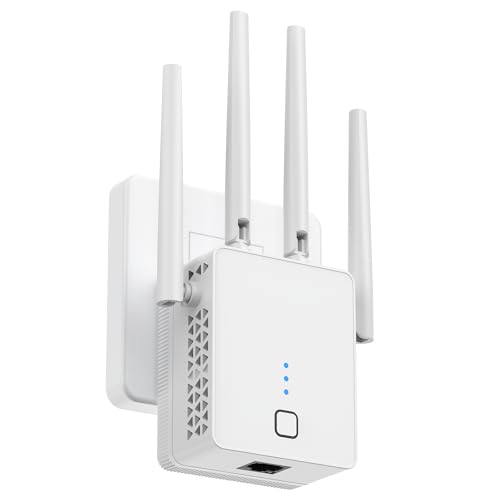
WiFi Extender Signal Booster Dual Band 1200Mbps, Long Range and 115+ Devices, Wireless Internet Repeater with Ethernet Port, 1-Tap Setup (Matte White)
★★★★★ 4.3 / 5 Simple 1-tap setup
This 1200Mbps repeater is the pick for the simplest install, with its listing naming a dual band design, an Ethernet port and a 1-tap setup. Its listing quotes a very large coverage area and 115+ devices, both of which are optimistic marketing numbers that real use will not reach.
Rated speed 1200Mbps (listed)Bands Dual band (listed)Ethernet Port included (listed)Setup 1-tap setup (listed)
- Dual band with an Ethernet port, per the listing
- 1-tap setup for an easy first install, as listed
- Wall-plug repeater that is quick to position
- The listed coverage and 115+ device claims are heavily inflated
- Generic brand with a short listing and no rated AC/AX class
Best for: A beginner who wants the quickest possible setup with a wired port.
The best WiFi extender for you depends on your router generation, whether you need a wired Ethernet port, and how far the dead spot sits from the router. Every pick in this guide is a genuine wall-plug WiFi range extender, repeater or signal booster, and we only quote the WiFi standard, rated class, coverage, bands and ports that each listing actually states. The spread runs from budget AC1200 plug-ins up to WiFi 6 AX3000 units, so you can match one to your router and the room you want to reach.
How a WiFi extender works and where it falls short
An extender receives your current WiFi and rebroadcasts it toward a weak area, which means it can only pass along the signal it already gets. Because it repeats rather than replaces your router, the connection at the extender is usually slower than at the router itself, and putting it too far out simply rebroadcasts a poor signal. The practical rule is to place it roughly halfway between the router and the dead zone, where it still hears a strong signal. An extender is the cheap, simple fix for one or two weak rooms, but it is not a substitute for a wired connection or a full mesh system when the whole house is weak.
Rated speed versus real speed and coverage claims
Ratings such as AX3000, AC1900 and AC1200 add up the peak throughput of every band under ideal lab conditions, so no device ever reaches them in a home. Treat the rated class as a way to rank one model against another, not as the speed your phone will see. The same caution applies to coverage: the TP-Link models quote grounded figures like 1200 to 2400 sq ft, while some generic units here claim 3600 sq ft or far more. All of those are open-space marketing numbers, and walls, floors and interference cut real range well below them, so plan on one extender reliably covering a room or two.
Single versus dual band, and WiFi 5 versus WiFi 6
Every extender here is dual band, using 2.4GHz and 5GHz together so it can talk to the router on one band while serving devices on the other, which softens the speed penalty of repeating. The TP-Link RE220 listing even notes up to 44 percent more bandwidth than a single band unit. The newer standard question is WiFi 6 versus WiFi 5: the RE715X and the generic AX3000 booster list WiFi 6, which handles more devices efficiently, while the RE550 and RE315 list WiFi 5. Because an extender cannot deliver a newer standard than your router provides, match a WiFi 6 extender to a WiFi 6 router and save money with WiFi 5 if that is what you run.
Wall-plug form factor and the Ethernet port
Every pick in this guide is a wall-plug style unit that plugs straight into an outlet, rather than a desktop extender that sits on a shelf, so each one is quick to position near the dead spot. The feature that varies most is the Ethernet port, which lets the extender feed a nearby wired device such as a TV, console or desktop, and on some models act as a wireless access point. Most picks name an Ethernet port, with the RE550 listing a faster Gigabit port, while the 1200Mbps booster does not state one. If a cable near the dead spot matters to you, choose a model whose listing names the port you need.
Questions people ask
Which WiFi extender should most people get?
If your router already runs WiFi 6, the TP-Link RE715X is the easiest pick here, because its listing pairs WiFi 6 at an AX3000 rated class with an Ethernet port and EasyMesh support. If you run an older WiFi 5 router, the RE550 adds a full Gigabit Ethernet port, and the RE315 is the budget-friendly choice for a single room. Match the extender to your router generation first, because an extender cannot deliver a newer WiFi standard than the signal it receives.
How does a WiFi extender actually work, and what are its limits?
A WiFi extender receives your existing WiFi, then rebroadcasts it to reach a dead spot, so it can only pass along the signal it already gets. Because it repeats rather than replaces your router, throughput at the extender is usually lower than at the router, and placing it too far away just rebroadcasts a weak signal. For that reason it works best roughly halfway between the router and the dead zone, and it will never be as fast as a wired connection or a full mesh system.
Are the rated speeds like AX3000 and AC1200 the real speeds I will get?
No. A rating such as AX3000, AC1900 or AC1200 is a theoretical peak that adds up every band under ideal lab conditions, and no single device reaches it. Real-world speed is lower because of distance, walls, interference and the fact that an extender repeats a signal it has already received. Use the rated class only to compare one model against another, not as the speed you will see on your phone or laptop.
Can a WiFi extender really cover thousands of square feet?
Treat the coverage figures in these listings with caution. Some units here claim very large areas, such as 3600 sq ft or far more, while the TP-Link models quote more grounded figures like 1200 to 2400 sq ft. All of these are marketing claims measured in open space, and walls, floors and furniture cut real coverage well below the stated number. Plan for a single extender to reliably reach one or two nearby rooms rather than a whole large home.
What is the difference between a single band and a dual band WiFi extender?
A dual band extender uses both the 2.4GHz and 5GHz bands, which lets it talk to your router on one band while serving your devices on the other, reducing the speed penalty that repeating causes. Every pick in this guide is dual band, with the TP-Link RE220 listing noting up to 44 percent more bandwidth than a single band unit. A single band extender only has 2.4GHz to work with, so it is slower, which is why dual band is the better baseline for most homes.
Should I get a WiFi 5 or a WiFi 6 extender?
WiFi 6 extenders, like the TP-Link RE715X and the AX3000 booster here, handle more devices more efficiently and pair best with a WiFi 6 router. WiFi 5 models, such as the RE550 and RE315, are still capable and tend to cost less. An extender cannot upgrade your network beyond what your router supports, so if your router is WiFi 5 there is less reason to pay for WiFi 6, while a WiFi 6 router is better matched with a WiFi 6 extender.
Why does an Ethernet port on a WiFi extender matter?
An Ethernet port lets the extender feed a nearby wired device, such as a TV, console or desktop, with a stable connection, and on some setups it can also act as a wireless access point. Most picks here name an Ethernet port, with the RE550 listing a faster Gigabit port, while the 1200Mbps booster does not state one at all. If you have a device that benefits from a cable near the dead spot, choose a model whose listing names an Ethernet port.
Is a WiFi extender better than a mesh system?
They solve the problem differently. A WiFi extender is a single plug-in unit that repeats your current router's signal, which is the cheapest and simplest way to patch one or two weak spots. A mesh system replaces your router with multiple units for seamless whole-home coverage and one network name, at a higher cost. If you only have a couple of dead zones, one of the extenders here is the sensible fix; if the whole house is weak, a mesh system is the stronger long-term answer.
The bottom lineSo which one?
Choose the TP-Link RE715X if you want the fullest feature set and run a WiFi 6 router, since its listing names WiFi 6 at an AX3000 class with an Ethernet port and EasyMesh. Step up to the RE550 for a full Gigabit port on a WiFi 5 network, or save with the RE315 and the compact RE220 for a single weak room. The generic AX3000 and 1200Mbps boosters are simpler value options, with the 1-tap repeater the quickest to set up. Whichever you pick, remember an extender only repeats the signal it receives, so place it about halfway to the dead spot and read every rated speed and coverage number as a marketing peak rather than a promise.