Memory Cards and Storage
Best SD Cards for Cameras in 2026: Top Picks
7 picks compared
6 min read
ProductPickly is reader-supported. When you buy through links on our site, we may earn an affiliate commission at no extra cost to you. It never changes our picks.
The short answerThe SanDisk Extreme Pro leads for speed and reliability. The Lexar Professional 1667x offers excellent value. For budget buyers, the Samsung EVO Select is a solid choice.
?How we pickedWe compare published specifications, safety certifications and thousands of verified owner reviews, and we do not physically test every unit. Read the full process in our review methodology.
SanDisk Extreme Pro SDXC UHS-I
★★★★★ 4.8 / 5 Best overall
This card delivers fast write speeds for burst shooting and 4K video. It is built to withstand water, shock, and x-rays. Owners report consistent performance in demanding conditions.
Capacity 64GB to 1TBSpeed Class UHS-I U3 V30Read Speed Up to 200 MB/sWrite Speed Up to 140 MB/s
- Fast write speeds for 4K video
- Durable build
- Lifetime limited warranty
- Pricier than competitors
- Not the fastest for UHS-II cameras
Lexar Professional 1667x SDXC UHS-II
★★★★★ 4.7 / 5 Best value
This UHS-II card offers high-speed transfers at a lower price than rivals. It is ideal for photographers who need fast write speeds without breaking the bank. Users appreciate the included recovery software.
Capacity 64GB to 512GBSpeed Class UHS-II U3 V60Read Speed Up to 250 MB/sWrite Speed Up to 120 MB/s
- High read speeds for quick downloads
- Good price for UHS-II performance
- Includes recovery software
- Write speed slower than top-tier cards
- Requires UHS-II reader for full speed
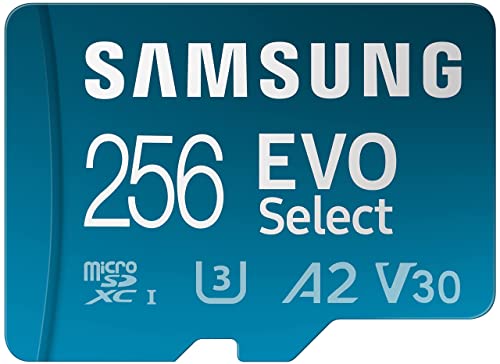
Samsung EVO Select microSDXC
★★★★★ 4.7 / 5 Best budget
This microSD card comes with an SD adapter, making it versatile for cameras and other devices. It offers solid speeds for Full HD video and everyday photography. Its low price makes it a popular choice for beginners.
Capacity 64GB to 512GBSpeed Class UHS-I U3 V30Read Speed Up to 130 MB/sWrite Speed Up to 30 MB/s
- Very affordable
- Comes with SD adapter
- Good for Full HD video
- Write speed may be slow for 4K
- Not as durable as premium cards
Sony SF-G Series SDXC UHS-II
★★★★★ 4.8 / 5 Best for professional photographers
This card is designed for high-end cameras with UHS-II support. It offers extremely fast write speeds for continuous burst shooting and 4K video. Built-in write-protect switch adds security.
Capacity 64GB to 256GBSpeed Class UHS-II U3 V90Read Speed Up to 300 MB/sWrite Speed Up to 299 MB/s
- Very fast write speeds
- Reliable for professional work
- Durable construction
- Expensive
- Requires UHS-II compatible camera
Best for: Best for professional photographers
ProGrade Digital SDXC UHS-II V90
★★★★★ 4.7 / 5 Best for 8K video
This card meets the V90 video speed class, essential for high-bitrate 8K recording. It maintains high write speeds even during long recordings. Professionals trust it for cinema cameras.
Capacity 64GB to 512GBSpeed Class UHS-II V90Read Speed Up to 250 MB/sWrite Speed Up to 200 MB/s
- V90 rating for 8K video
- Sustained write performance
- Built for heavy use
- Premium price
- Overkill for casual users
Best for: Best for 8K video
SanDisk Extreme SDXC UHS-I
★★★★★ 4.8 / 5 Best for action cameras
This card is built to survive extreme conditions, from freezing cold to hot deserts. It is waterproof, shockproof, and x-ray proof. Action camera users report no dropped frames.
Capacity 64GB to 1TBSpeed Class UHS-I U3 V30Read Speed Up to 190 MB/sWrite Speed Up to 130 MB/s
- Extremely durable
- Fast enough for 4K action video
- Available in large capacities
- Not as fast as UHS-II
- Slightly more expensive than budget options
Best for: Best for action cameras
Kingston Canvas React Plus SDXC UHS-II
★★★★★ 4.7 / 5 Best for hybrid shooters
This card balances speed and capacity for both photo and video work. It supports V90 for high-bitrate video and fast bursts. Kingston includes a lifetime warranty.
Capacity 64GB to 256GBSpeed Class UHS-II U3 V90Read Speed Up to 300 MB/sWrite Speed Up to 260 MB/s
- High read and write speeds
- V90 for 4K and 8K video
- Lifetime warranty
- Limited capacity options
- Pricey for casual users
Best for: Best for hybrid shooters
We compared specs like UHS speed class, video speed class, and write speeds. Owner feedback and use-case fit also guided our picks.
Understanding SD card speed classes
Speed classes indicate minimum sustained write speeds. UHS Speed Class 3 (U3) means at least 30 MB/s. Video Speed Class V30 or higher is needed for 4K video. V60 and V90 support 8K and high-bitrate recording. Check your camera's manual for required classes.
Capacity considerations
Higher capacity cards hold more photos and video but may cost more. For stills, 64GB to 128GB is often enough. For 4K video, 128GB or more is recommended. Larger cards can fill up, so consider backing up regularly.
UHS-I vs UHS-II
UHS-II cards have two rows of pins for faster speeds, but they require a UHS-II compatible camera and card reader. If your camera only supports UHS-I, a UHS-II card will work but at slower speeds. UHS-II cards are more expensive, so match the card to your camera's capabilities.
Durability and reliability
SD cards can fail, so choose cards with built-in durability features. Look for cards that are waterproof, shockproof, and x-ray proof. Some cards offer extended warranties, which add peace of mind. Always format the card in-camera for best performance.
Questions people ask
What SD card speed do I need for 4K video?
For 4K video, choose a card with UHS Speed Class 3 (U3) and Video Speed Class V30 or higher. This ensures a minimum write speed of 30 MB/s, which is sufficient for most 4K cameras.
Can I use a microSD card in a camera?
Yes, if you use an SD adapter. Many microSD cards come with an adapter, but the adapter may not be as durable as a full-size SD card. For cameras, a full-size SD card is often more reliable.
Is a UHS-II card worth it?
If your camera supports UHS-II, a UHS-II card can significantly speed up burst shooting and file transfers. However, it costs more. For casual use, a UHS-I card may be sufficient.
What is the difference between U1 and U3?
U1 guarantees a minimum write speed of 10 MB/s, while U3 guarantees 30 MB/s. U3 is recommended for 4K video and continuous burst shooting.
How should I format a new SD card?
Format the card in your camera for optimal compatibility. This ensures the file system is set correctly. Avoid formatting on a computer if possible, as it may use a different format.
Can an SD card be used in multiple cameras?
Yes, but it's best to format the card in each camera before use. This prevents file system errors. However, switching cards frequently can increase wear, so consider dedicated cards per camera.
What is the maximum capacity SD card my camera supports?
Check your camera's manual. Many modern cameras support SDXC cards up to 512GB or 1TB. Older cameras may only support SDHC up to 32GB.
Are expensive SD cards worth it?
For professional work, expensive cards offer faster speeds and better durability. For casual use, a budget card may suffice. Consider your camera's capabilities and your shooting needs.
Can I use an SD card for both photos and video?
Yes, most SD cards handle both. However, video requires higher write speeds. A card with V30 or higher is safe for 4K video and high-resolution photos.
How long do SD cards last?
SD cards have a limited number of write cycles, but with normal use, they can last many years. High-quality cards often have longer lifespans. Always back up important data.
The bottom lineSo which one?
The SanDisk Extreme Pro is the top choice for most photographers. For budget-conscious buyers, the Samsung EVO Select offers great value. Professionals should consider the Sony SF-G for maximum speed.